Step 1
Browse the listing
Open the property page you are already reviewing for a buyer.
Interactive Demo
See how the browser extension captures properties and prepares them for a clean sharing workflow.
How the demo workflow works
The extension handles the capture step, while the app keeps the saved listing details clean and ready for the next sharing asset.
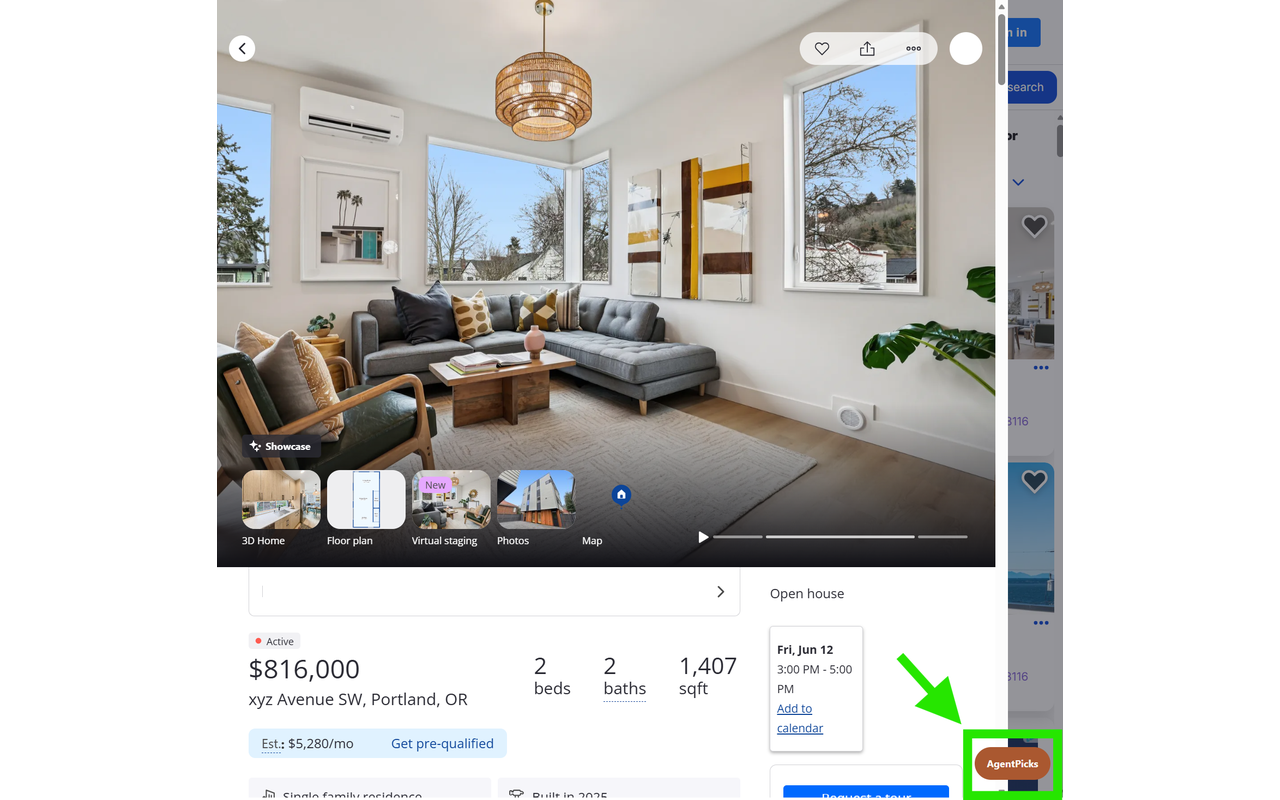
Step 1
Open the property page you are already reviewing for a buyer.
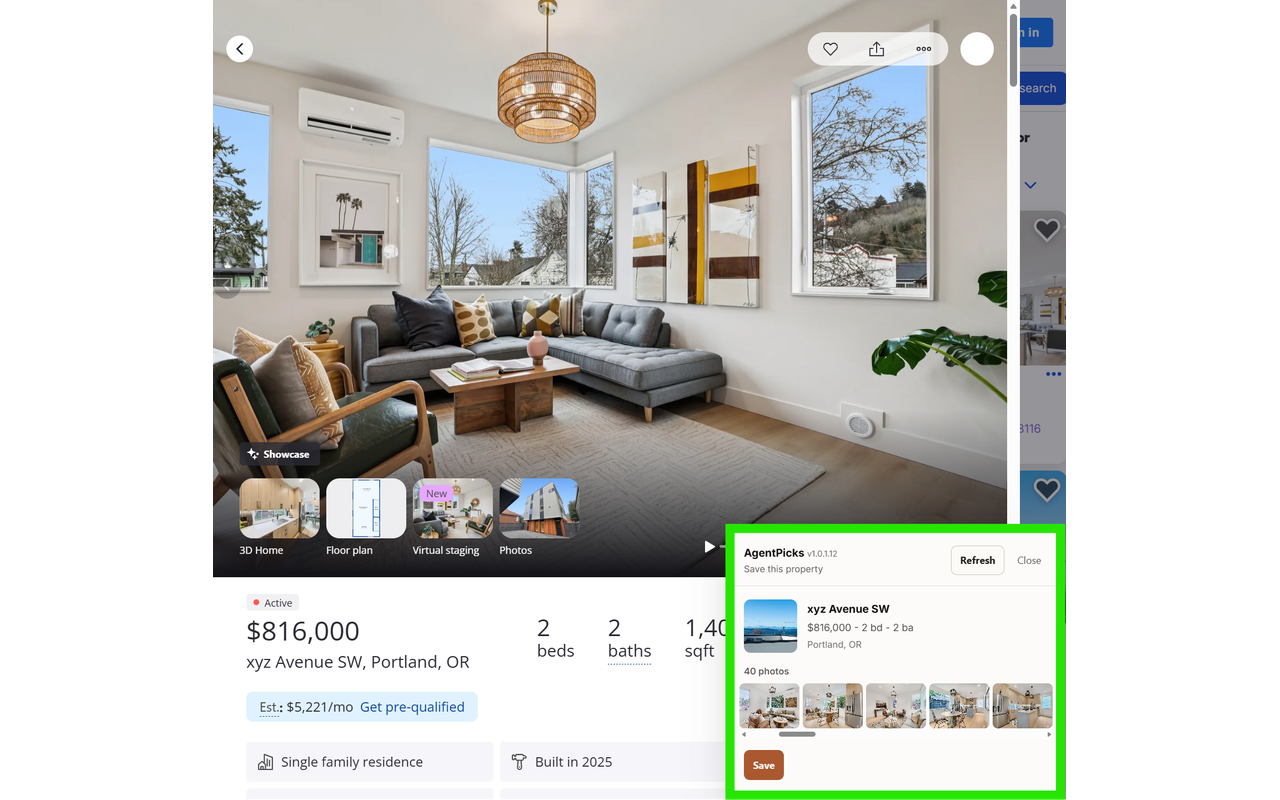
Step 2
Capture the address, price, photos, listing source, and key details in one pass.
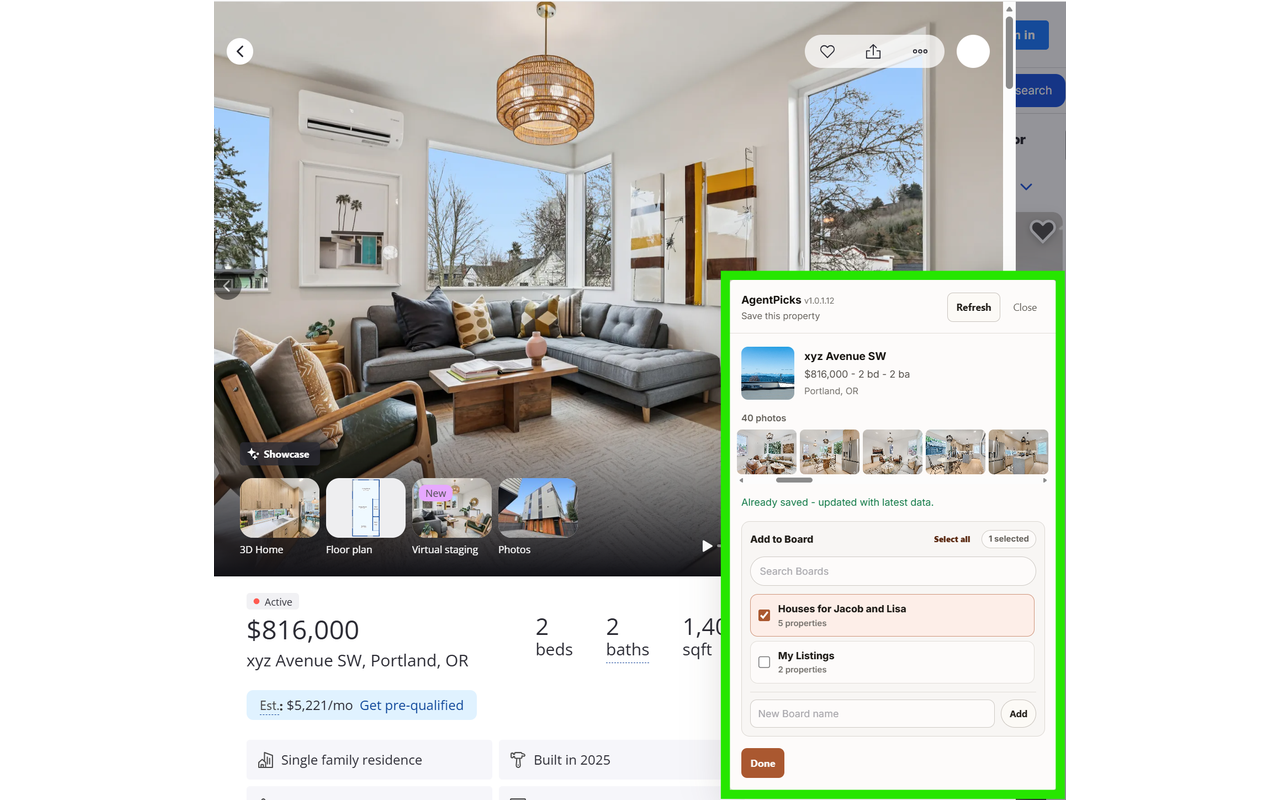
Step 3
Add the saved property to the Board you are building for that customer.
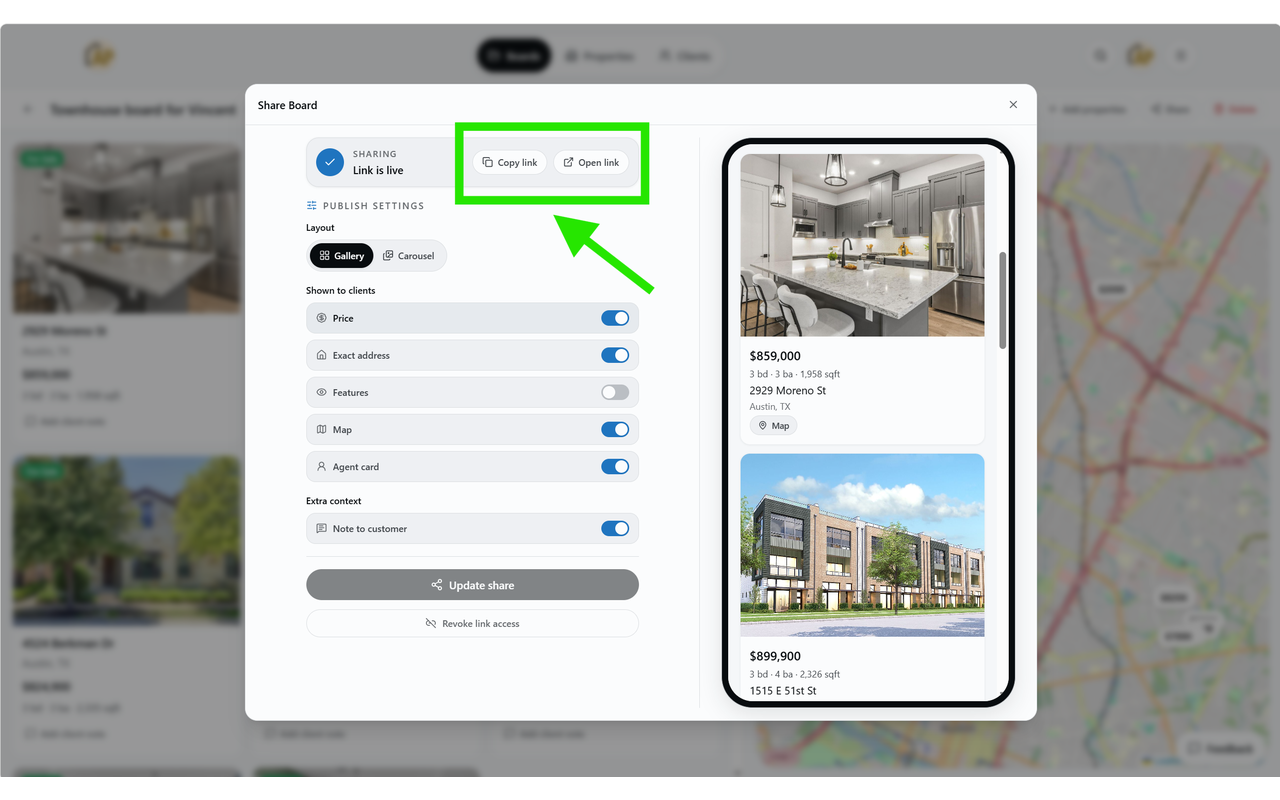
Step 4
Keep the listing details ready for the client-facing image and sharing flow.